



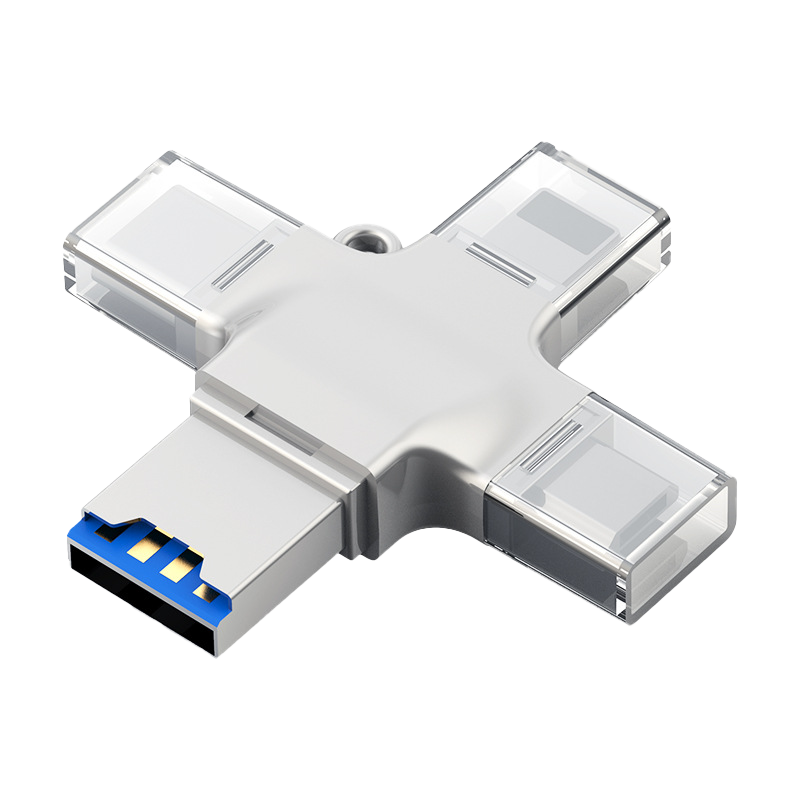
4-in-1 MicroSD in lega di alluminio TF Lettore di schede per console portatili retrò AISLPC
4-in-1 MicroSD in lega di alluminio TF Lettore di schede per console portatili retrò AISLPC
Descrizione:
Move Games and Files Without Extra Gear
Transfer games, firmware, and media between your computer and your AISLPC retro handheld with this official 4-in-1 aluminum alloy card reader. Plug it into a USB-A or USB-C port, insert a microSD / TF or full-size SD card, and start copying files. No drivers and no extra apps required.
Built as a compact everyday accessory for AISLPC consoles, it is made for quick storage upgrades, firmware updates from the Download Center, and backing up your game library at home or on the go.
Official AISLPC Accessory
Designed for AISLPC handhelds that use TF / microSD storage, including:
- AISLPC RG52 MINI
- AISLPC RG52 PRO MAX
- AISLPC RG43V PRO
- AISLPC RG43H PRO
- AISLPC R36T / R36T MAX
- Other AISLPC retro handheld consoles with TF / microSD support
4-in-1 Plug-and-Play Design
- USB-A and USB-C connectors for laptops, PCs, and USB-C devices
- microSD / TF card slot
- Full-size SD card slot
- Aluminum alloy body for a more durable, premium feel
- Compact cross design that is easy to pack in a carrying case
- Plug and play, no software required
Built for Retro Handheld Workflows
- Copy game files to a TF card before inserting it into your console
- Install official firmware from the AISLPC Download Center
- Back up saves, system files, and personal media
- Use one reader for both microSD / TF and full-size SD cards
Specifications
| Brand | AISLPC |
| Product Type | 4-in-1 USB card reader |
| Body | Aluminum alloy |
| Connectors | USB-A, USB-C |
| Card Slots | microSD / TF, SD |
| Setup | Plug and play |
| Compatibility | AISLPC retro handheld consoles and USB-A / USB-C computers |
FAQ
Does this include a memory card or games?
No. This is a card reader only. Use it with your own microSD / TF or SD card, or pair it with an official AISLPC memory card.
Will it work with RG52 MINI?
Yes. It works with RG52 MINI and other AISLPC handhelds that use TF / microSD storage. Use it on your computer to load files onto the card, then insert the card into the console.
Do I need to install drivers?
No. Connect it to a USB-A or USB-C port and your computer should recognize the card automatically.